AI dispatch platforms connect directly to your existing CRM, billing, and accounting tools via high-speed APIs. Every inbound call, autonomous booking, and completed job instantly updates your customer records. Invoices generate without manual data entry, and techs review full service histories on their mobile devices before arriving on-site.
Why Integration Matters
In service businesses, running an AI dispatch tool isolated from the core CRM wastes an average of 6 hours per week manually transferring data. Real-time API integration eliminates this friction, preventing the data entry errors that trigger billing disputes and customer churn.
AI dispatch handles the operational workflow: calls, bookings, and dispatching. However, your business also relies on a financial workflow (invoicing, payments, accounting) and a customer relationship workflow (history, preferences, follow-ups).
When these critical systems are disconnected, operational data becomes siloed. Manual re-entry guarantees errors, and nobody on your team has a complete, accurate picture of each customer's status.
Deep integration bridges these workflows. It ensures that data flows automatically from the initial phone call straight through to the final closed invoice.
The Data Flow Architecture
When an AI dispatch agent is properly integrated with your CRM and billing system, the entire customer lifecycle is managed autonomously via webhook triggers.
- The AI answers an inbound call and identifies the customer (new or returning) instantly via phone number matching.
- For returning customers, the AI retrieves their name, physical address, equipment service history, and previous notes from the CRM.
- The AI books the job autonomously. This booking syncs to the CRM as a new service ticket and blocks out the scheduling calendar.
- The tech completes the job and marks it 'done' in their dispatch app. This status update syncs to the CRM and triggers automated invoice generation.
- The customer receives a digital invoice automatically. Processed payments sync back to the CRM, marking the ledger closed.
- 30 days later, the CRM initiates an automated follow-up sequence based on the specific service provided.
The Recognition Moment: When a returning customer calls and the AI instantly states, "Hi John, welcome back. I see you are at 123 Main St and we last serviced your HVAC unit in October. Is this for the same location?" the customer immediately experiences premium service. That recognition is powered by real-time CRM integration.
Common Integration Endpoints
Modern AI dispatch systems utilize REST APIs to securely handshake with standard industry platforms, allowing rapid deployment without custom software engineering.
| System Type | vs | Popular Supported Platforms | Integration Method |
|---|---|---|---|
| CRM | vs | ServiceTitan, Housecall Pro, Jobber | Native API / Webhook |
| Billing/Invoicing | vs | QuickBooks Online, FreshBooks, Stripe | Direct API |
| Accounting | vs | QuickBooks, Xero | Indirect via billing API |
| Calendar | vs | Workspace Calendar, Outlook | Graph API |
| Communication | vs | Twilio (SMS), SendGrid (email) | Built-in |
| GPS/Fleet | vs | Samsara, Verizon Connect | Native API |
Customer History on Every Call
API integration transforms every inbound call from a cold, anonymous interaction into a highly contextualized, personalized conversation that drives immediate conversion.
- -AI recognizes the customer's phone number and retrieves their exact profile
- -Service history appears (date of last visit, specific work performed, recurring issues)
- -Billing status is verified (outstanding invoices, valid payment method on file)
- -Special operational notes are read (gate codes, aggressive pets, parking constraints)
- -Previous complaints or negative feedback are flagged so the AI can navigate the conversation empathetically
"Before we integrated DispatchNode with our CRM, our human dispatchers were constantly asking repeat customers for their address and history. Now, the AI agent greets them by name and already knows what equipment is installed at their house. It completely changed our brand perception."
For your crew, this contextual data is equally important. Before arriving on site, they review the customer's full history, previous tech notes, and any special access requirements. They walk in fully prepared.
Implementation Guide
Setting up a bidirectional CRM integration is a straightforward, predictable process when utilizing modern REST API architecture.
- Audit and identify your current CRM, billing, and scheduling software stack.
- Verify if your dispatch platform has a pre-built native integration (most common platforms are supported out-of-the-box).
- If pre-built: activate the integration and authenticate using secure API keys or OAuth.
- Map critical data fields: ensure customer name, phone, address, and service categories map perfectly between the two systems.
- Execute a staging test with 5 simulated bookings to verify data payload flows correctly in both directions.
- Push to production and monitor server logs for the first 72 hours to catch any edge-case sync failures.
The most common integration failure point involves field mapping discrepancies (e.g., the dispatch platform logs it as "job type" while the CRM requires "service category"). Resolving these strictly during the staging phase ensures the integration runs autonomously in production.
Building a Single Source of Truth
The largest operational vulnerability in a service business is fragmented, decoupled data. CRM integration creates a unified source of truth, eliminating double bookings, missed invoices, and lost historical data.
When your dispatcher takes notes on a sticky pad, a tech logs a job completion in an isolated mobile app, and accounting manually reconciles invoices, mistakes multiply fast. Double bookings, missed invoices, and lost customer histories become standard operating procedure rather than rare exceptions.
CRM integration solves this structural flaw. Every touchpoint—from the initial AI-answered call through job completion and digital payment collection—flows securely into one unified customer record.
Your dispatcher views real-time job statuses. Your tech reviews the customer's service history before putting the truck in park. Accounting sees invoices generated automatically the second the job is marked complete.
The implementation cost is minimal compared to the operational labor savings. DispatchNode maintains pre-built integrations covering over 80% of service businesses, requiring zero custom software development.
For multi-truck operations, the ROI adds up quickly. Integration eliminates manual data transfer entirely, freeing your team to focus on revenue-generating activities.
CRM Data Synchronization Architecture
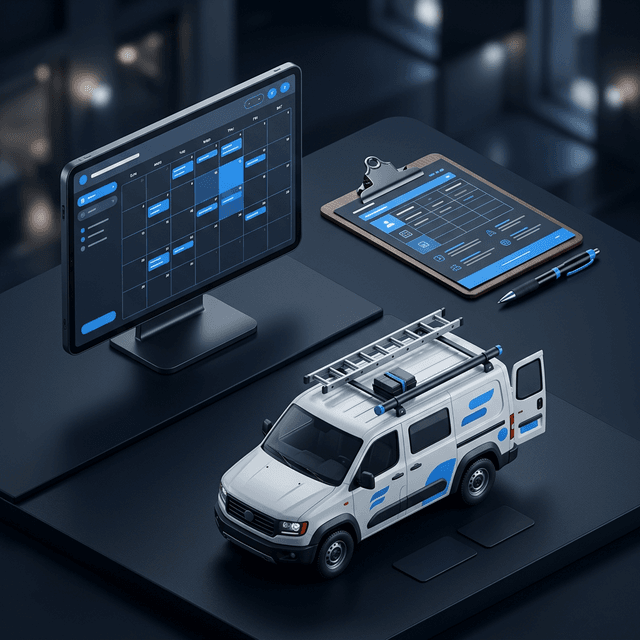
The bidirectional sync between the AI and CRM ensures that every customer interaction enriches the database, and every future interaction is informed by the complete customer history.
CRM Integration Best Practices
- Field Mapping: Map every data field captured by the AI (name, phone, address, service type, urgency) to the corresponding CRM field before going live.
- Duplicate Prevention: Configure deduplication rules to prevent the AI from creating new contact records for existing customers.
- Lead Scoring: Use AI interaction data (call duration, service requested, urgency expressed) to automatically score leads in the CRM.
- Automated Follow-Up: Trigger CRM workflow automations based on AI call outcomes (e.g., send a follow-up email 24 hours after a booked appointment).
- Revenue Attribution: Track which bookings originated from AI calls vs. human calls to measure the AI's direct revenue contribution.
The SBA emphasizes that service businesses with integrated CRM and dispatch systems achieve 23% higher customer retention rates than those using disconnected tools. For more on what AI dispatch offers, read our guide on What is AI Dispatch Software.
The Architecture of Data Sovereignty and Synchronization
In modern business operations, data is not merely a byproduct of doing business; it is the fundamental asset that dictates the valuation of your company. When you deploy standalone AI communication tools that do not natively integrate with your central CRM platform (like ServiceTitan, Housecall Pro, or Salesforce), you inadvertently create a serious "data silo."
If an AI voice agent answers a call, successfully books a large roof replacement, but the data is trapped within the AI vendor's proprietary dashboard, you have lost data ownership. Your office staff must manually re-type the client's information, the scope of work, and the scheduling block into your primary CRM. This manual bridging introduces delays and guarantees human error—a transposed address digit results in a wasted truck roll and a frustrated client.
DispatchNode resolves this through deep, two-way API architecture. The platform does not attempt to replace your CRM; it acts as an invisible, highly intelligent data layer. When the AI agent converses with the client, it is simultaneously querying your CRM in milliseconds.
If the caller is an existing client, the AI instantly retrieves their service history. "Hello Mr. Smith, I see we replaced your water heater last November. Are you calling regarding that unit?" This contextual awareness makes a strong impression on the customer.
More importantly, when the call concludes, the AI agent automatically formats the entire interaction—the full transcript, the audio recording, the action items, and the scheduled time block—and pushes it directly into the required fields within your CRM. This complete data synchronization ensures that your entire business, from the call center to the tech in the field, is operating on a single, verified source of truth.
Automated Data Scrubbing and Deduplication
A significant, yet rarely discussed, consequence of high-volume service operations is the rapid degradation of CRM data integrity. When your dispatchers are rushing to enter information from frantic callers, they inevitably create duplicate records. One dispatcher might enter "William Jenkins" at "123 Oak St," while another dispatcher a year later enters "Bill Jenkins" at "123 Oak Street" for the exact same client.
Over time, these duplicate records accumulate, destroying your ability to accurately calculate customer lifetime value, run targeted email marketing campaigns, or properly enforce warranty claims. The CRM becomes a chaotic, unreliable ledger.
An integrated AI dispatch platform functions as an automated, continuous data auditor. The AI is significantly more rigorous than a rushed human dispatcher. During the intake process, the AI automatically scrubs the inbound data and normalizes addresses against geographic databases (ensuring "St." is always "Street").
Before creating a new customer record, the system runs smart matching against your entire CRM database. It analyzes phone numbers, email addresses, and phonetic name variations.
If the system detects a 95% probability that the inbound caller "Bill Jenkins" is the existing client "William Jenkins," it does not create a duplicate file. It seamlessly appends the new work order to the existing historical record.
By continuously scrubbing and deduplicating the data, the AI platform ensures your CRM remains a clean, highly valuable business asset.
AI-Enriched CRM and Data Quality
The automated lead scoring capability that AI-enriched CRM data provides allows your team to prioritize follow-up efforts on the highest-value prospects rather than treating all inbound inquiries with equal urgency. Leads that the AI identifies as high-intent based on conversation signals receive immediate follow-up, while lower-intent inquiries enter an automated nurture sequence.
The long-term strategic value of AI-enriched CRM data extends to business exit planning. Service businesses are increasingly valued based on the quality and completeness of their customer database. A CRM populated with comprehensive interaction histories, service preferences, and revenue attribution data commands a significantly higher acquisition multiple than one containing only basic contact information.
The data quality improvement that AI dispatch delivers to your CRM compounds over time and is often overlooked in initial ROI projections. Human data entry during phone calls produces error rates of 6-12% across fields including phone numbers, email addresses, service addresses, and appointment times.
These errors cascade through your operational workflow, causing misdirected techs, failed appointment confirmations, and billing disputes.
The AI agent captures data with near-zero error rates because it validates inputs in real time during the conversation. When a caller provides a phone number, the AI reads it back for confirmation. When a caller provides a service address, the AI geocodes it instantly and confirms the neighborhood or cross street.
This validation process eliminates the downstream operational failures that dirty CRM data creates and saves an estimated 3-5 hours per week of staff time.
Keep reading: